Text auto-completion and chat questions are no longer the only roles of AI agents. They now refactor repositories, create scripts, update code bases, and use unsupervised workflows, creating new challenges in connecting multiple agents without losing context, control, or code quality.
Maestro, the latest AI Agents orchestration platform, addresses this need as an application that creates long-lived AI processes and developer workflows. Treats agents as virtual, independent systems that model engineering practice. In this article, we explore what Maestro is and how we can use it in our workflow development.
What is Maestro?
Maestro is a desktop-based orchestration platform for deploying AI Agents to automate and manage your projects/clusters and run multiple AI Agents simultaneously. Each AI agent works in a separate session (workspace, chat history, execution context, etc.) to ensure that no two agents interfere with each other. Currently, Maestro supports the following AI Agents:
- Claude Code
- The OpenAI Codex
- OpenCode
Gemini CLI support, and Qwen Coder are planned for future releases.
By providing per-Session isolation, automation capabilities, and a web interface with a developer or CLI, Maestro lets you scale your AI deployments the way you want, without sacrificing speed, control, or visibility.
Features of Maestro
The developer-focused AI tuning tool from Maestro has several key features:
- There is the ability to use unlimited amounts of each type of agent simultaneously; this allows the use of multiple agents and gives each agent its own independent workspace and context, allowing work to be done in multiple places at the same time (eg refactoring code, generating test cases, or finding documentation).
- It can automate tasks using markup-formatted checklists (called playbooks), where each playbook entry is executed within its own instance of the subject and has a clean execution context. Playbooks are especially useful for redesigning/improving research reports and doing any kind of repetitive work.
- Using
Git "worktrees"it allows true parallel development with each type of agent in an isolated Git branch. You can make independent reviews on the work done by agents, create separate PRs for each one and create PRs with one simple click. - You can perform almost all actions with keyboard actions. For example, changing records will be done quickly using keyboard actions. Switching between the terminal and the AI will also be done using keyboard actions.
- Using Maestro-cli, you can run playbooks without any kind of user interface (headless), integrate with CI/CD pipelines, and export their output in human-readable and JSONL formats.
Architecture of the Maestro
TypeScript has created a modularized design for Maestro that is also fully quality tested. Following are the key features of the system:
- Session manager: It separates the contents of the agent to prevent interference with each other.
- Default layer: Uses markdown formatted playbooks.
- Git integration: It has native support for git repositories and branches, and diffs.
- Command line: Slash commands can be expanded to search for custom workflows.
As a result of these key architectural features, Maestro will support long-term execution, facilitate the ability to restore sessions smoothly, and support reliable concurrent agent operations.
Here’s a clear comparison of Maestro with popular AI orchestration solutions:
| Feature / Tool | The Maestro | OpenDevin | AgentOps |
| Parallel Agents | Unlimited, individual sessions | It has a limit | It has a limit |
| Git Worktree support | Yes | No | No |
| Auto Run / Playbooks | Markdown-based automation | Manual tasks | In part |
| First place | Yes | It depends on the cloud | It depends on the cloud |
| Group Discussion | Multi-agent communication | No | No |
| CLI integration | Complete automation CLI | No | It has a limit |
| Statistics Dashboard | Usage and expense tracking | No | Just to be careful |
Starting with Maestro
Here are the steps to install and use Maestro:
- You need to compile the repository or download the release:
git clone
cd Maestro - You need to install the dependencies with the following command:
npm install - You need to start the development server:
npm run dev - You can connect to the AI agent:
- Claude Code – Anthropic’s AI for coding
- OpenAI Codex – OpenAI’s AI coding
- OpenCode – Open source AI coding
The verification process will be different for AI Agent, please refer to the notification in the application for the necessary instructions.
Handiwork
In this exercise, we will create a Job Request agent with the help of the Maestro wizard from scratch and we will see how it works.
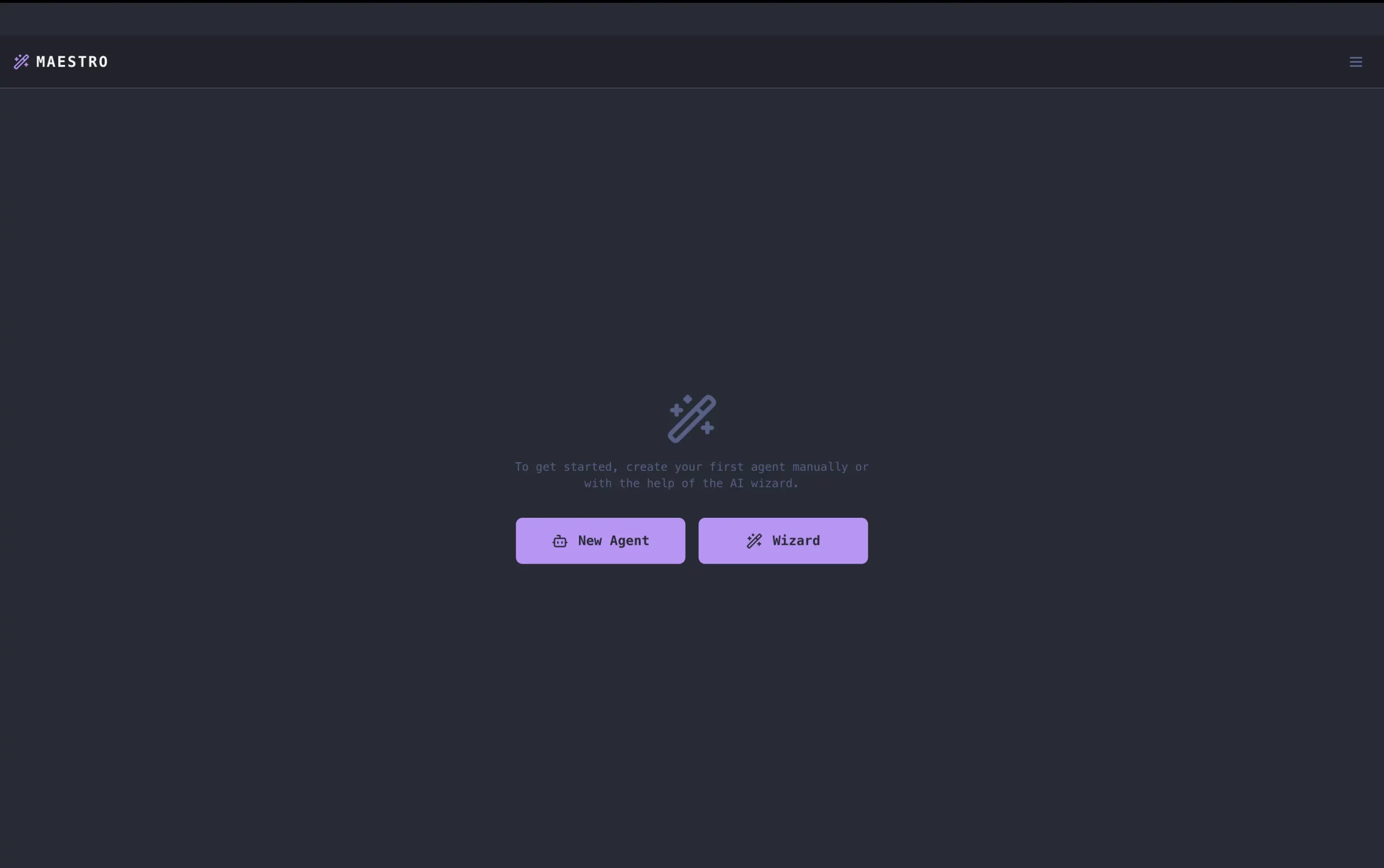
1. After the interface is launched in the npm run dev command, select the Wizard button that will help us build the agent.
2. Compile Claude Code or codex or Open Code and select the name of the application.
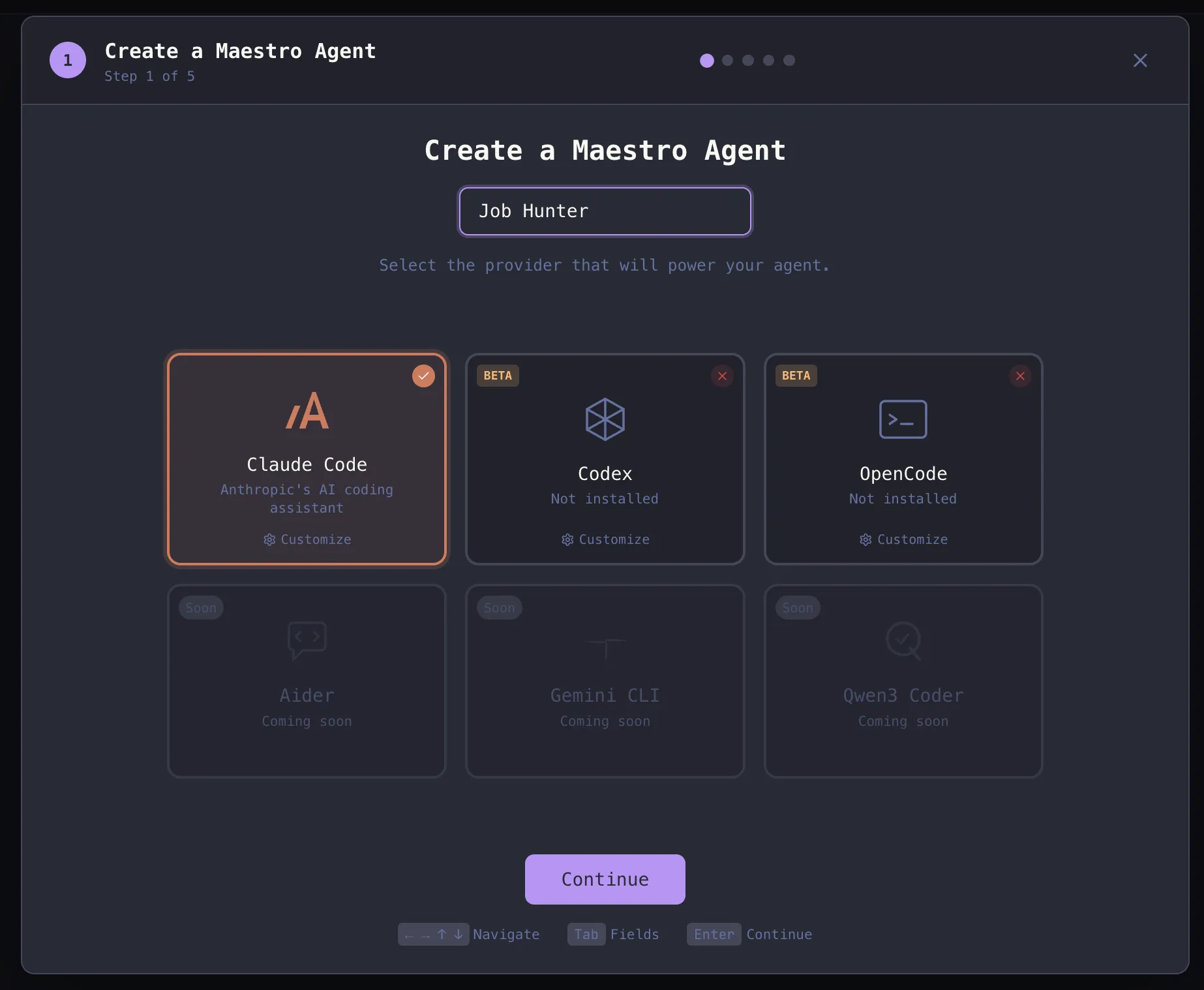
3. Browse the application area and click ‘Continue’ to start the project.
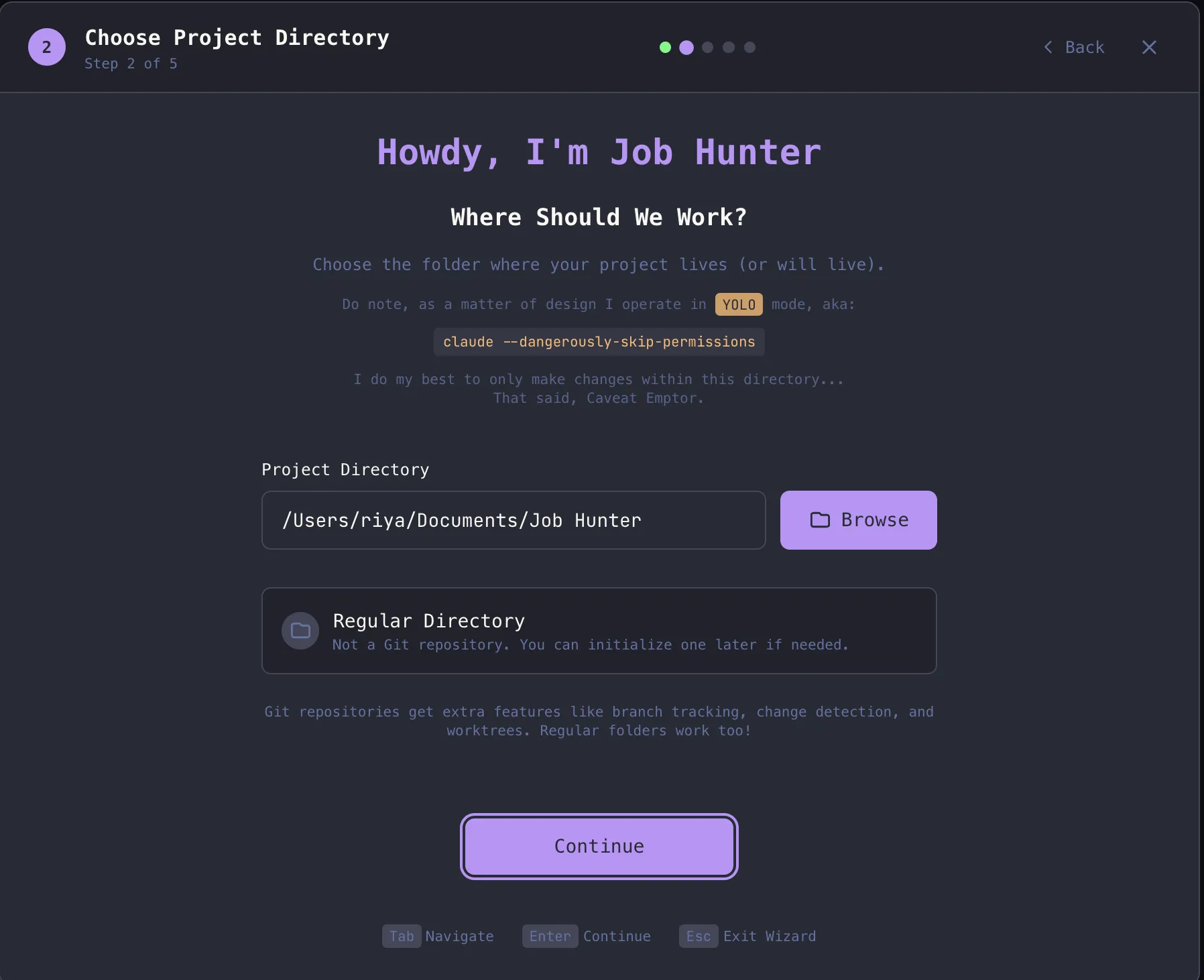
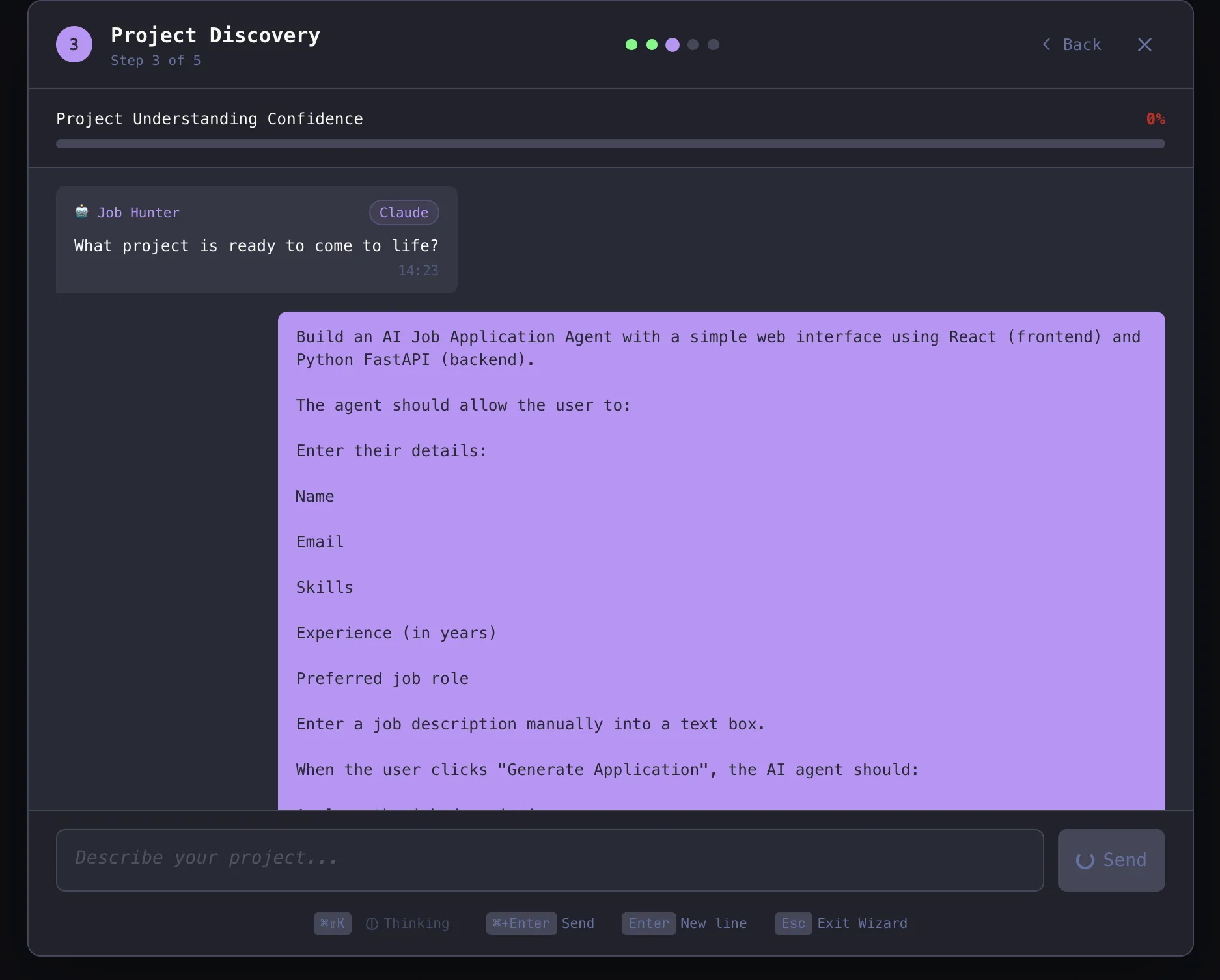
4. Give the command to the Wizard and it will start building.
Notify: “Build a simple AI application agent with React frontend and FastAPI backend.
The application must allow the user to enter:
- Name
- Skills
- Experience
- Preferred role
- Job description (text box)
When the user clicks “Generate Request”, the agent must:
- Analyze the job description
- Generate a corresponding resume summary
- Create a personal cover letter
Show both outputs clearly in the UI.
Technical requirements:
- Use the LLM API (OpenAI or similar)
- FastAPI backend with JobApplicationAgent class
- Responsive frontend with a simple form and popup display
- Show loading status while creating
Goal: Build a working prototype that generates a resume summary and cover letter based on user input and a job description.
5. After it organizes the project into different stages, it starts the development process.
Output:
Review Analysis
Maestro has developed a full-featured Job Application Agent application that contains an Operational React user interface (UI) and a FastAPI back-end. This agent shows full-stack development and a good ability to integrate AI agents; takes user input and creates a unique resume summary and cover letter; and, as sorting, selecting, etc. from the interface flows to the end well.
The main agent logic and LLM were successfully integrated so that Maestro demonstrated the ability to create functional prototypes of AI agents from the ground up, although the results did not have sufficient quality and could benefit from rapid development, and deep personalization.
So, overall, Maestro has created a solid, functional, basic platform with many opportunities to improve agent performance.
The conclusion
Maestro represents a revolution in AI-assisted development. It allows developers to transition from using AI in discrete tests to a streamlined workflow. Maestro-provided features, such as Auto Run, Git Worktrees, multi-agent coordination/communication, and possible statistical updates; designed with developers and AI in mind to allow control, visibility, and automation of large-scale projects.
If you want to test Maestro:
- Use the GitHub repo:
- If you would like to donate to Maestro, please review the guidelines in the Donate file.
- Join the community on Discord for support and discussion.
Maestro is not just another tool. It’s an AI agent command center, designed with developers in mind.
Frequently Asked Questions
IA. Maestro connects multiple AI agents simultaneously, helping developers automate workflows, manage parallel tasks, and maintain control of large AI-driven projects.
IA. Maestro supports Claude Code, OpenAI Codex, and OpenCode, with planned support for Gemini CLI and Qwen Coder in future releases.
A. Yes. Maestro CLI allows developers to run playbooks out of the box, integrate with CI/CD pipelines, and export output in readable and structured formats.

Data Science Trainee at Analytics Vidhya
I currently work as a Data Science Trainer at Analytics Vidhya, where I focus on building data-driven solutions and applying AI/ML techniques to solve real-world business problems. My work allows me to explore advanced analytics, machine learning, and AI applications that empower organizations to make smarter, evidence-based decisions.
With a strong foundation in computer science, software development, and data analysis, I am passionate about using AI to create impactful, innovative solutions that bridge the gap between technology and business.
📩 You can also contact me at [email protected]
Sign in to continue reading and enjoy content curated by experts.